A POS built around the table, not the till.
Open a table, take the order on an iPad or phone, fire it to the right station, follow every dish to served, then split and settle the bill. Built in our own dining rooms, where service charge, GST and a full Friday night are real.
From the door to the day close
- 01
Seat
Your real floor plan, with sections, pax counts and table moves and merges. Tonight’s bookings can seat straight onto a table.
- 02
Order
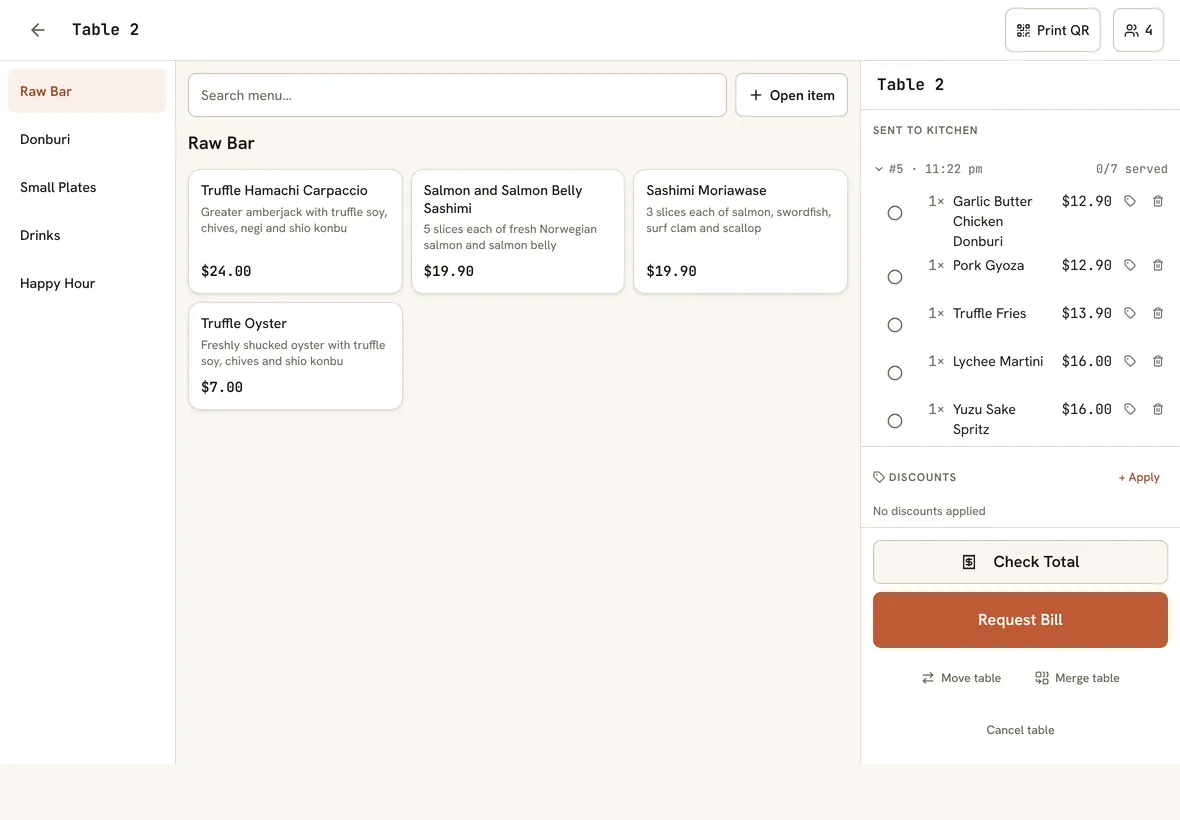
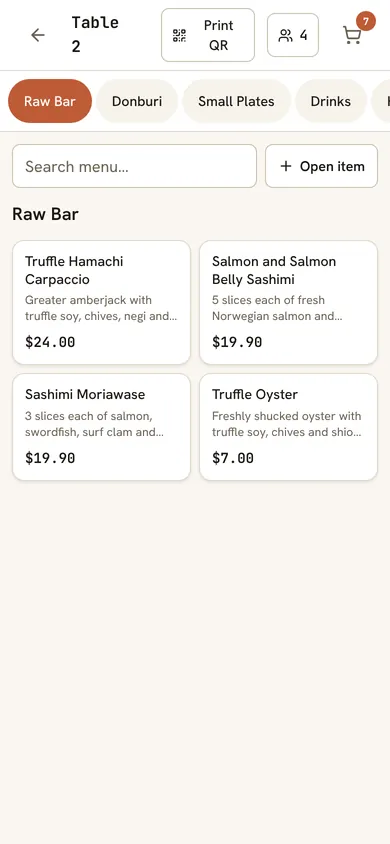
Servers take the order at the table on an iPad or phone, with options, set meals and open items.
- 03
Fire and serve
Each dish goes to its station. Staff tap dishes as served, and set menus show which course is next.
- 04
Settle
Check the total any time, split the bill, take part-payments and tips, and close the day with an X/Z report.
The screens your team works from
Real screens from the app, set up with our own restaurant’s menu and photos.
Orders taken at the tableServers take the order on their phone or an iPad, right at the table, and fire it to the kitchen. 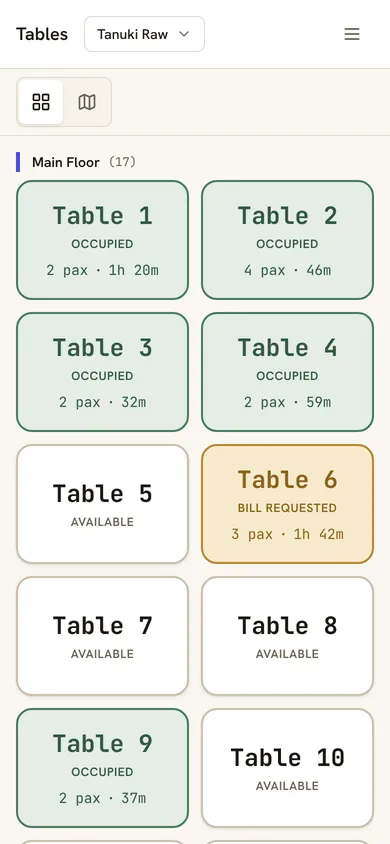
The floor in your pocketThe same table plan on a server’s phone, so nobody walks back to a till to check a table.
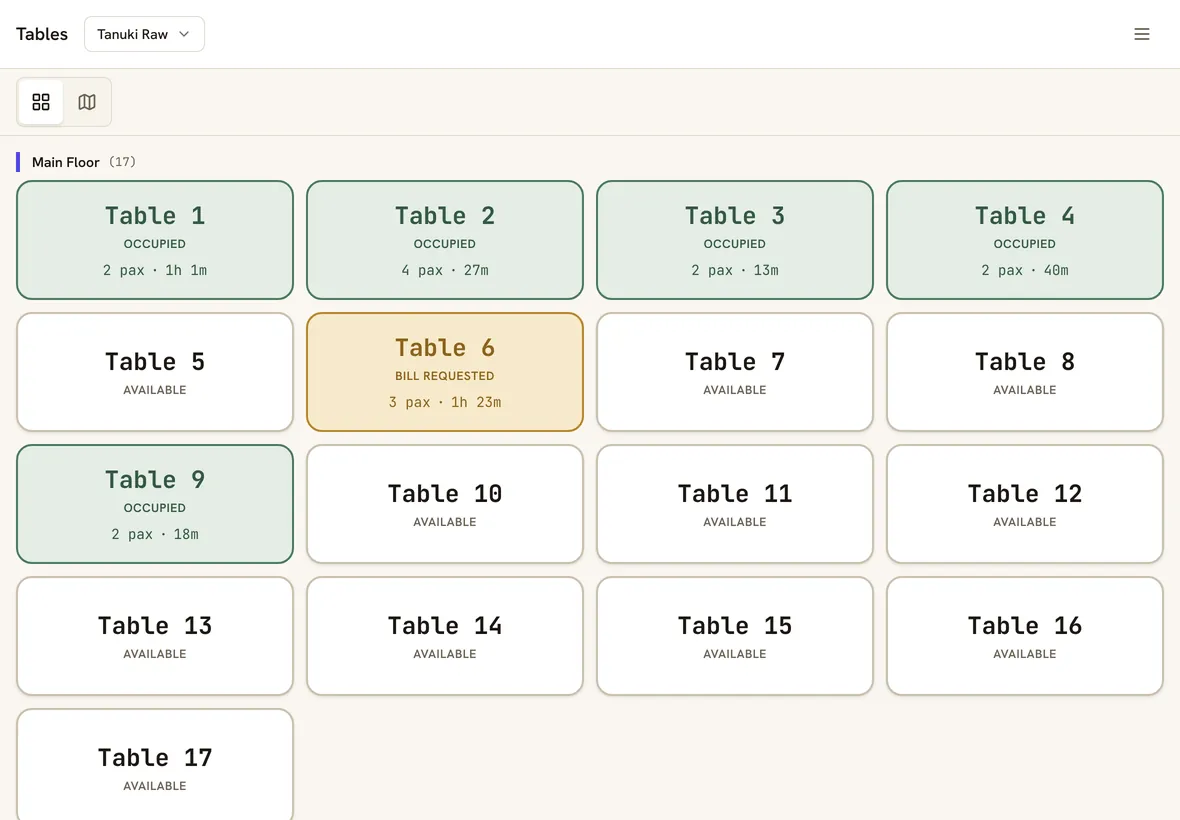
Tables at a glanceSee which tables are seated, how many guests, how long they have been there and who asked for the bill. 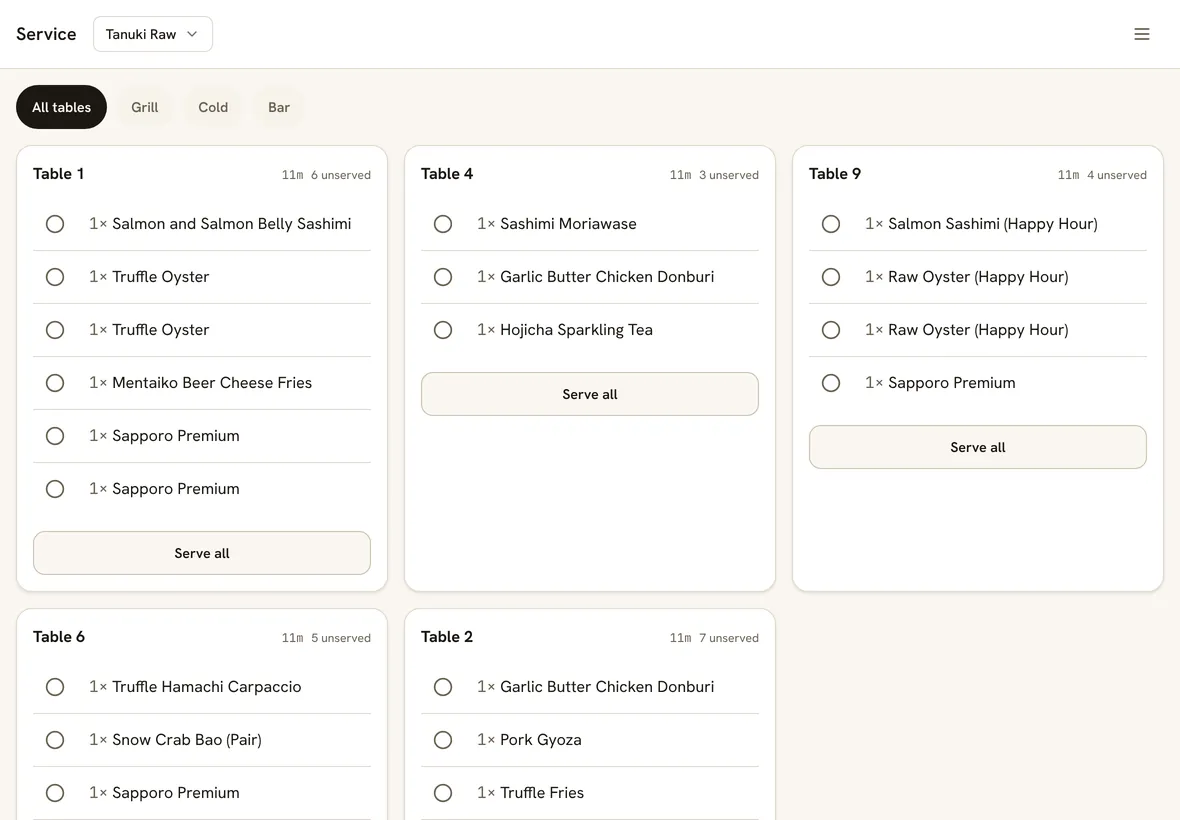
A service board for runnersEvery table’s unserved dishes in one list. Tap to mark one served, or serve a whole table at once. 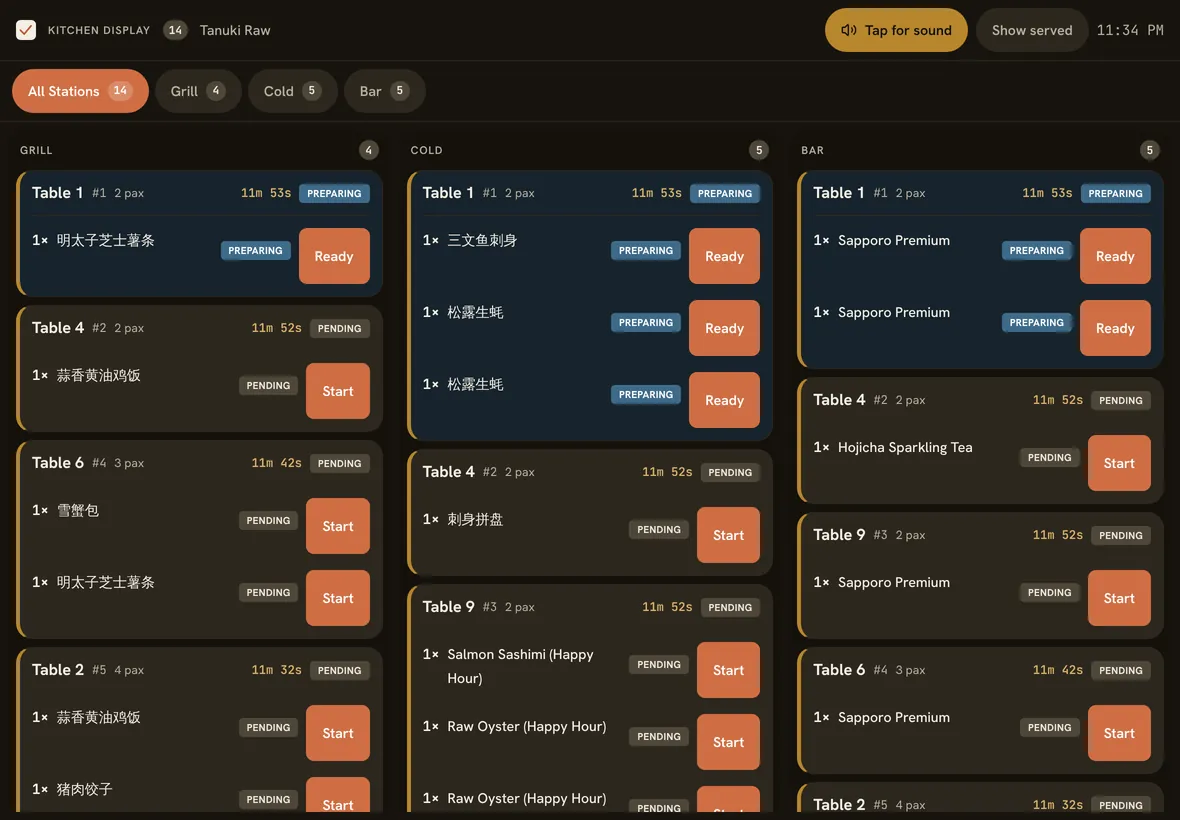
A kitchen display by stationGrill, cold and bar each see their own tickets, with how long each one has waited.
What table service needs
Your real floor plan
Lay out tables and sections yourself, or let AI read a photo or sketch of your floor plan. Move and merge tables mid-meal.
Every dish to the right station
Route by category, sub-category, dish or option to kitchen screens, printers or both. Screens chime on every new ticket.
Courses, on cue
Set menus of up to 30 courses show on a service board with the time since the last course, so the kitchen fires the next one on time.
Bills done the Singapore way
Service charge, then 9% GST, in the IRAS order. Item and bill discounts, cash rounding, and pax on the bill.
Split it any way
Split by item or evenly, take part-payments in cash, card and PayNow, and record tips on top of the bill.
Bookings at the door
With free Nice Work Reservations, tonight’s bookings show on the POS and seat straight onto a table.
Our whole service runs on it
Tanuki Raw and Standing Sushi Bar run their floors, bars, sushi counters and kitchens on Nice Work POS every night.
When we ran a 16-seat set-menu pop-up on the Tanuki Raw balcony, we built the course tracker for it. Every restaurant on the POS has it now, at no extra cost.
Good to know
- Voids are per dish and need a manager or owner. There’s no one-tap void for a whole table.
- Refunds aren’t built in yet. A manager can re-open a closed bill to correct it.
- Card terminals aren’t integrated. Take cards on your own terminal and record them on the bill.
- Reports export to CSV, not PDF.
Straight answers.
Can servers take orders on their phones?
Yes. The staff POS works on phones and tablets in the browser, and in our iPad and iPhone app.
How are service charge and GST worked out?
Discounts first, then service charge on the discounted subtotal, then 9% GST on the result, which is the order IRAS expects. Each dish can be GST-inclusive, exclusive or exempt, and a manager can waive service charge on a bill.
Can we keep paper chits in the kitchen?
Yes. Each station can use a screen, a printer or both. Many kitchens keep paper on the line and a screen at the pass.
Can a manager see voids and discounts?
Yes. Every void, discount, re-opened bill and cash drawer open is in an audit log with who did it and when.
Does it handle reservations?
Nice Work Reservations is free and links to the POS: bookings show on the table plan and seat straight onto a table.
Also on Nice Work POS
Unlimited devices, one price
One tablet or ten, the price stays S$60 per outlet. No per-device fees.
Chinese kitchen printing
Kitchen chits in Chinese characters, on standard network printers.
Built by restaurant operators
The POS that runs our own Singapore restaurants every night.
Run tonight’s service on it.
30 days free, no card, set up in an afternoon. S$60 per outlet per month after, or S$50 a month billed yearly.