One tablet or ten. The price doesn’t change.
S$60 per outlet per month covers every device. Give each server a tablet, put a screen at every station and let the owner check in from home, and the bill stays the same. Many POS plans charge for each extra iPad or kitchen screen. We don’t.
How a multi-device setup works
- 01
Sign in on any device
Use the iPad app or open the POS in a browser on a laptop, tablet or phone. Staff can sign in with Face ID on the iPad.
- 02
Staff use their own PIN
Run the floor on one outlet login. Voids, discounts and cash drawer opens are tied to the PIN of whoever did them.
- 03
Give each station a screen
Kitchen, bar and pass screens on any tablet, each showing only its own tickets.
- 04
Everything stays in step
Open a table on one iPad and it’s open on all of them. Orders, bills and payments update everywhere at once.
One restaurant, every screen in step
Real screens from the app. Each one can run on its own iPad, phone or TV, all showing the same orders.
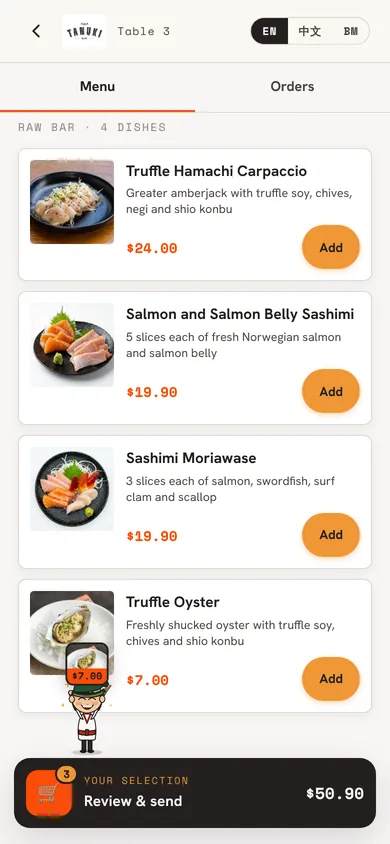
Guests’ own phonesQR orders join the same flow as orders your staff take. 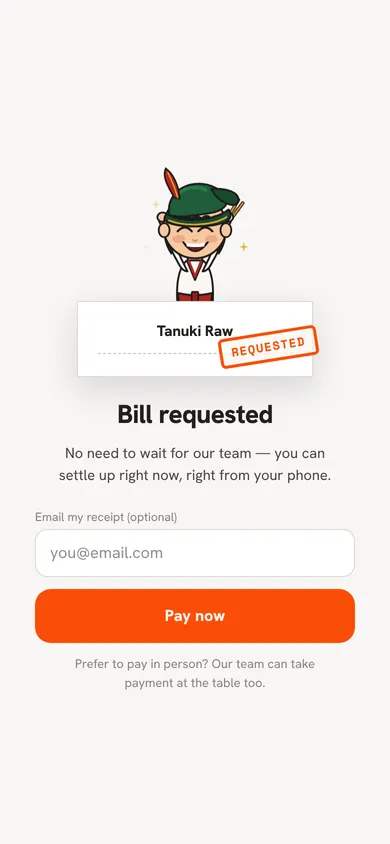
Paying from the tableGuests who pay on their phone free the table on every screen at once.
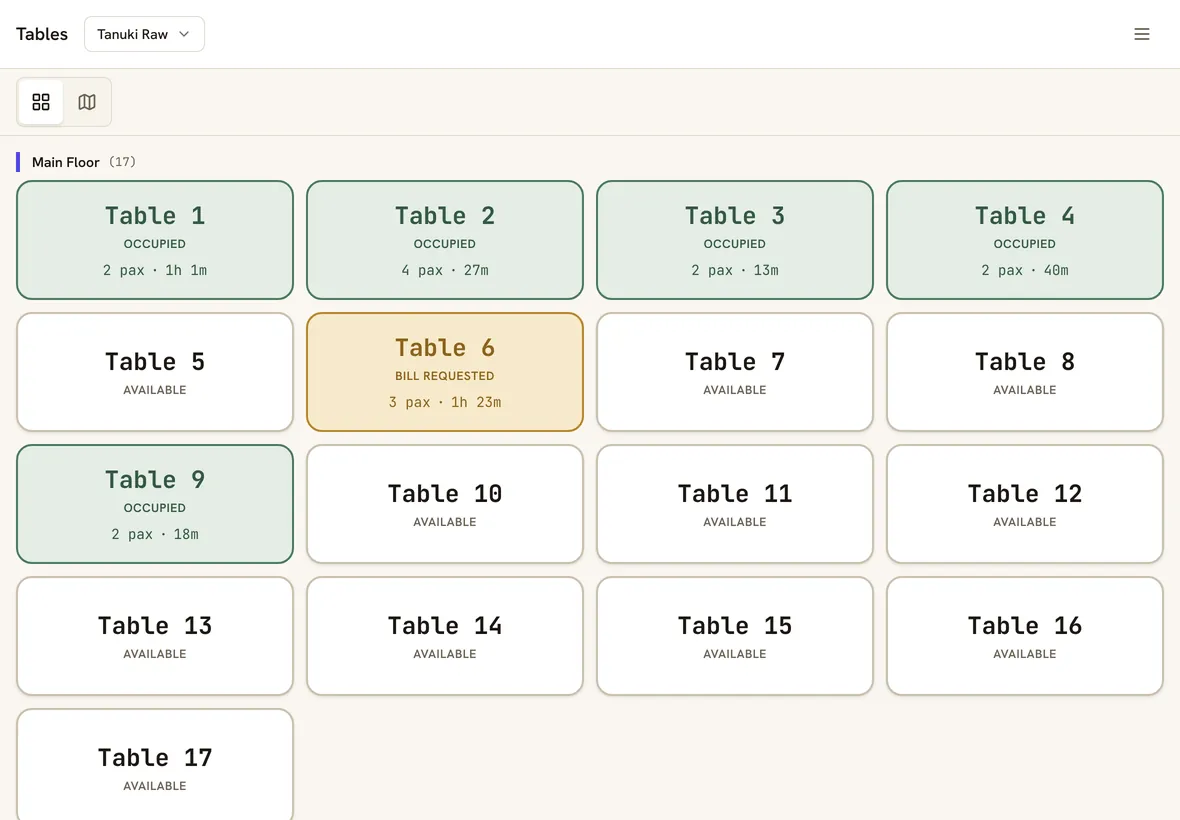
The host stand iPadSeat guests and watch tables fill up. Every order-taking device sees the same tables. 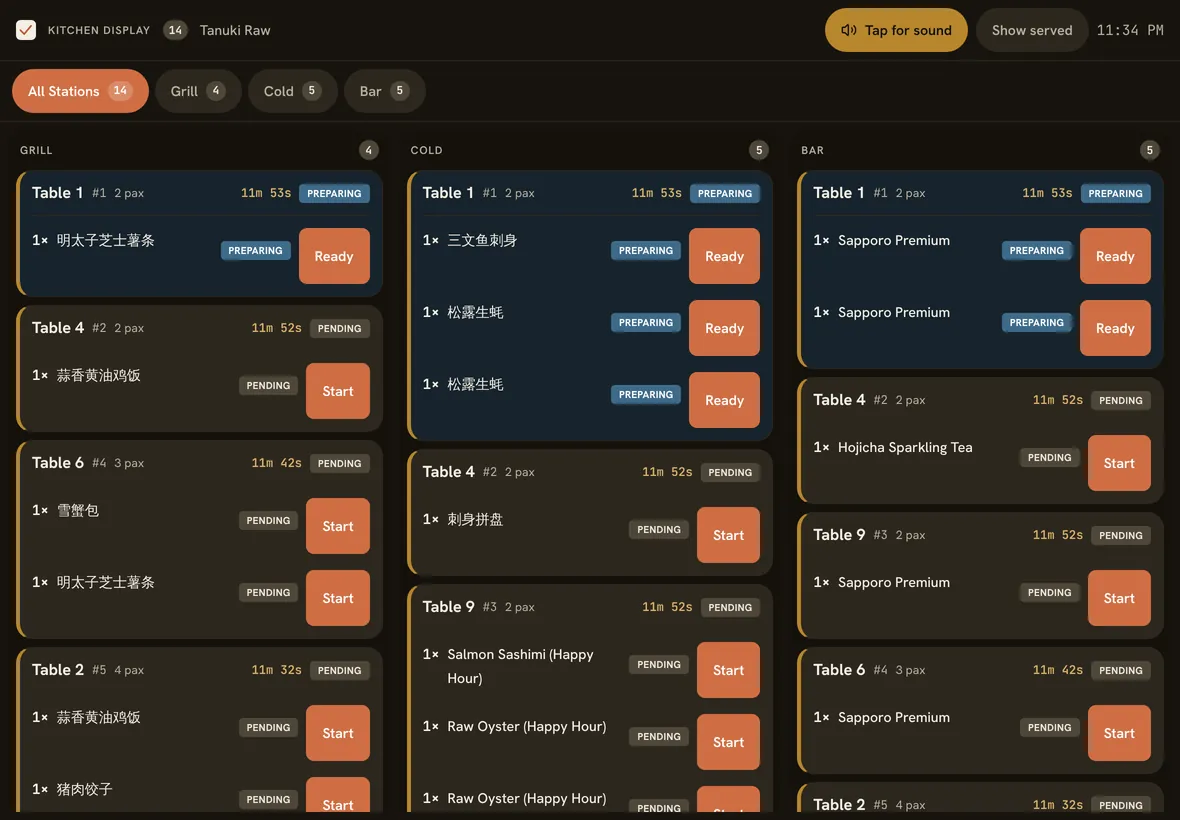
The kitchen screenOrders from every iPad and every QR code arrive here, split by station. 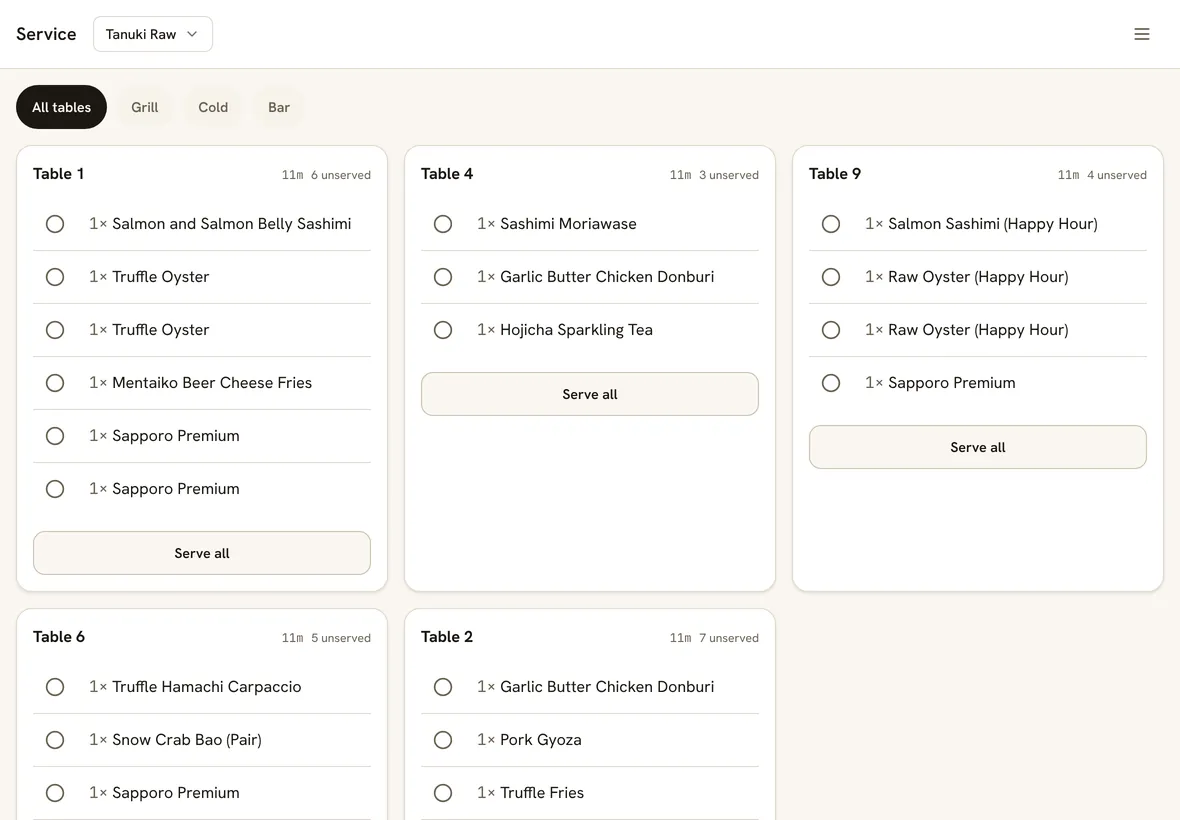
The runner’s screenWhat each table is still waiting for, updated as the kitchen marks dishes ready. 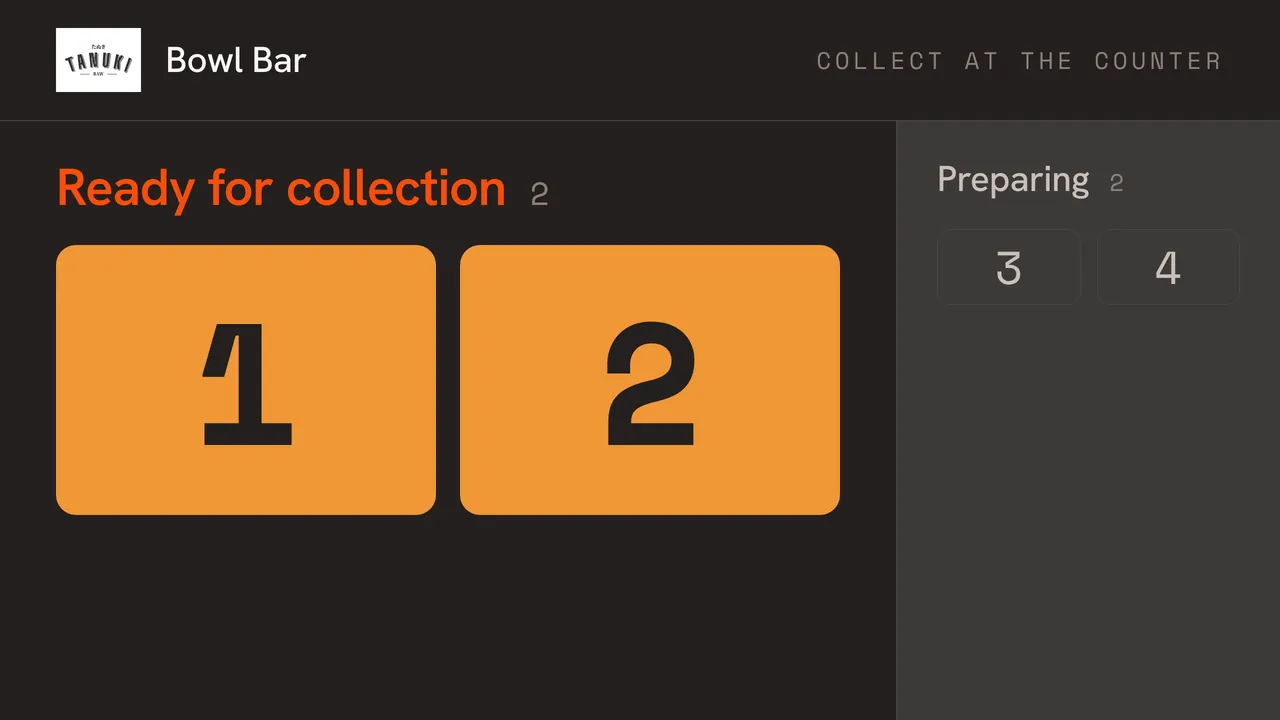
A wall screen for pickupsA pickup screen on any TV or tablet tells counter guests when their order is ready.
Built for a busy floor
No per-device fees
Add a tablet for a new server or a screen for the bar without asking what it costs. At S$20 to S$40 a month per extra device, which several plans charge, seven extra devices would add S$140 to S$280 a month.
iPad app or any browser
Use our iPad and iPhone app, or open the POS in Chrome or Safari on a laptop, Android tablet or phone.
One login, staff PINs
No juggling passwords mid-service. Everyone works on the outlet login and their PIN says who did what.
A screen for every station
Each kitchen screen shows its own station’s tickets, chimes on new ones and tracks every dish to ready.
Printers that don’t clash
Several devices can share the same printers. Each printer takes one job at a time, so chits never come out cut or mixed.
Alerts on the right device
The iPad app pings staff when a guest orders, asks for the bill or pays from their phone.
Fixed during our own service
Standing Sushi Bar runs a computer and an iPad that both print to the same cashier printer. When two jobs reached it at once and chits came out cut, we changed the POS so each printer only takes one job at a time. That fix went to every restaurant on the POS.
Good to know
- You buy the iPads, phones or screens yourself. Any recent iPad or phone works, and so does a tablet you already have.
- When the internet drops, only your main device keeps going. Other devices show a clear offline screen, and kitchen screens pause until the connection is back.
- Printers connect over your restaurant’s own network, through the iPad app or our print agent on a computer at the restaurant.
- Roles are fixed: owner, manager, cashier and kitchen. You can’t customise what each role can do yet.
Straight answers.
Is there a limit on devices?
No. The price is per outlet, so add as many iPads, phones and kitchen screens as your team needs at no extra cost.
Do I pay more for a busy night with every tablet in use?
No. There’s no charge per device, per staff login or per order. S$60 per outlet per month, or S$50 a month billed yearly, whatever you run it on.
Can I use Android tablets?
Yes, in Chrome. Our app is for iPad and iPhone for now, so an Android-only setup prints through our print agent on a computer at the restaurant.
What happens if two servers work on the same table?
Both see each other’s changes live, and their orders add up on the same bill.
Can the owner check in from home?
Yes. The dashboard works in any browser, and one login switches between all your restaurants.
Also on Nice Work POS
Full-service restaurants
Floor plan, stations, courses and bills for table service.
Low-cost POS
S$60 a month, every feature, and no cut of your sales.
Built by restaurant operators
The POS that runs our own Singapore restaurants every night.
Bring every device you already have.
30 days free, no card, set up in an afternoon. S$60 per outlet per month after, or S$50 a month billed yearly.