Guests order, pay and go. No waving for the bill.
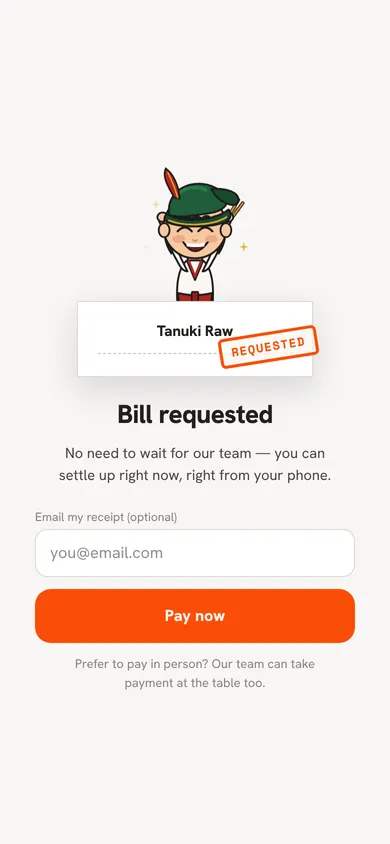
After ordering from the table QR, guests request the bill and pay on their own phone with PayNow or card, through your own HitPay account or through Qlub. The payment lands on the bill, the table frees up, and it all shows on the same day close as the counter.
Most QR menus are a list of text. Yours plays like a food video.
Your guests are holding a phone that plays video smoothly, so the menu uses it. Each part of the day can open with its own welcome video, your specials sit at the top with moving pictures, and any dish can play a few seconds of itself when it’s opened. This is Tanuki Raw’s real menu.
Video for any dish
Upload a short phone video of a dish from the dashboard. It plays, muted and looping, when a guest opens that dish.
Specials that catch the eye
Pick the dishes you want to push. They lead the menu in a Specials row with your own badge, and featured ones move.
A welcome for each time of day
Lunch and dinner can each open with their own video and greeting, so the first screen matches the hour.
Calm when guests want it
If a guest has turned off motion on their phone, the welcome screen and specials show still photos instead.
Video and moving specials are on the table QR menu. The counter and Takeaway QR menus show photos.
How paying at the table works
- 01
Guests order from the table QR
They order in rounds on their own phone, or staff take the order as usual. Both land on one bill.
- 02
They ask for the bill
The total appears with service charge and 9% GST worked out, exactly as your staff would print it.
- 03
They pay on their phone
PayNow, cards, Apple Pay, WeChat Pay and more through your HitPay account, or a hand-off to Qlub. The amount is always the balance our system works out (the computer behind the POS, not a waiter), never a number the phone sends.
- 04
The table frees up
The payment is recorded on the bill, the receipt is issued and the table goes back to free for the next party.
From the first order to the last payment
Real screens from the app, set up with our own restaurant’s menu and photos.
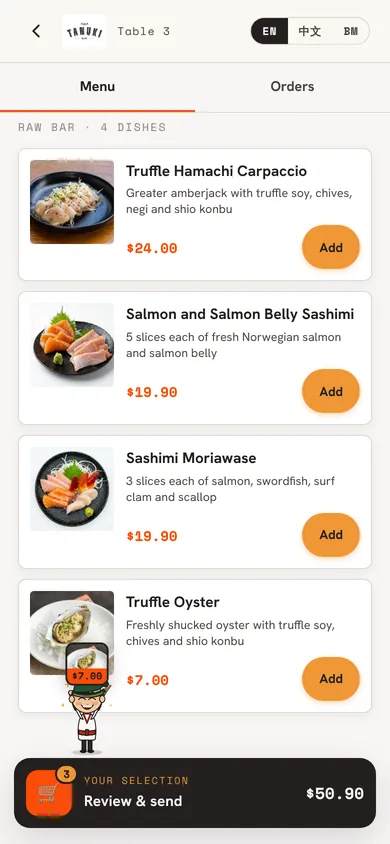
Order from the tableGuests browse with photos and build their order on their own phone. 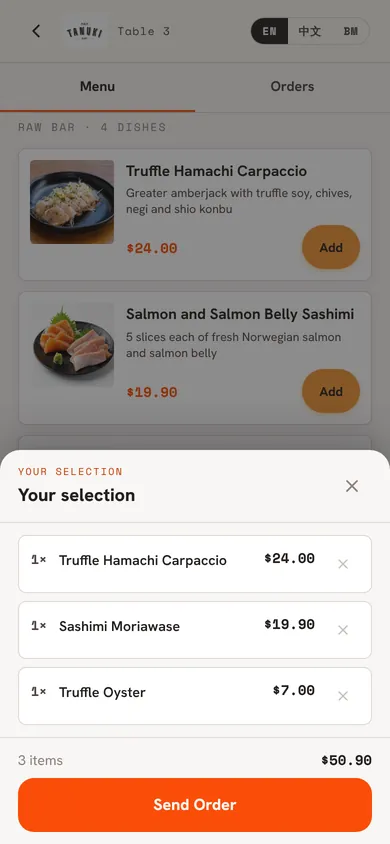
Send it to the kitchenNo waving for a server. The order goes straight through to the kitchen. Pay without waitingWhen guests ask for the bill, they can pay on their phone right away, or pay your staff at the table.
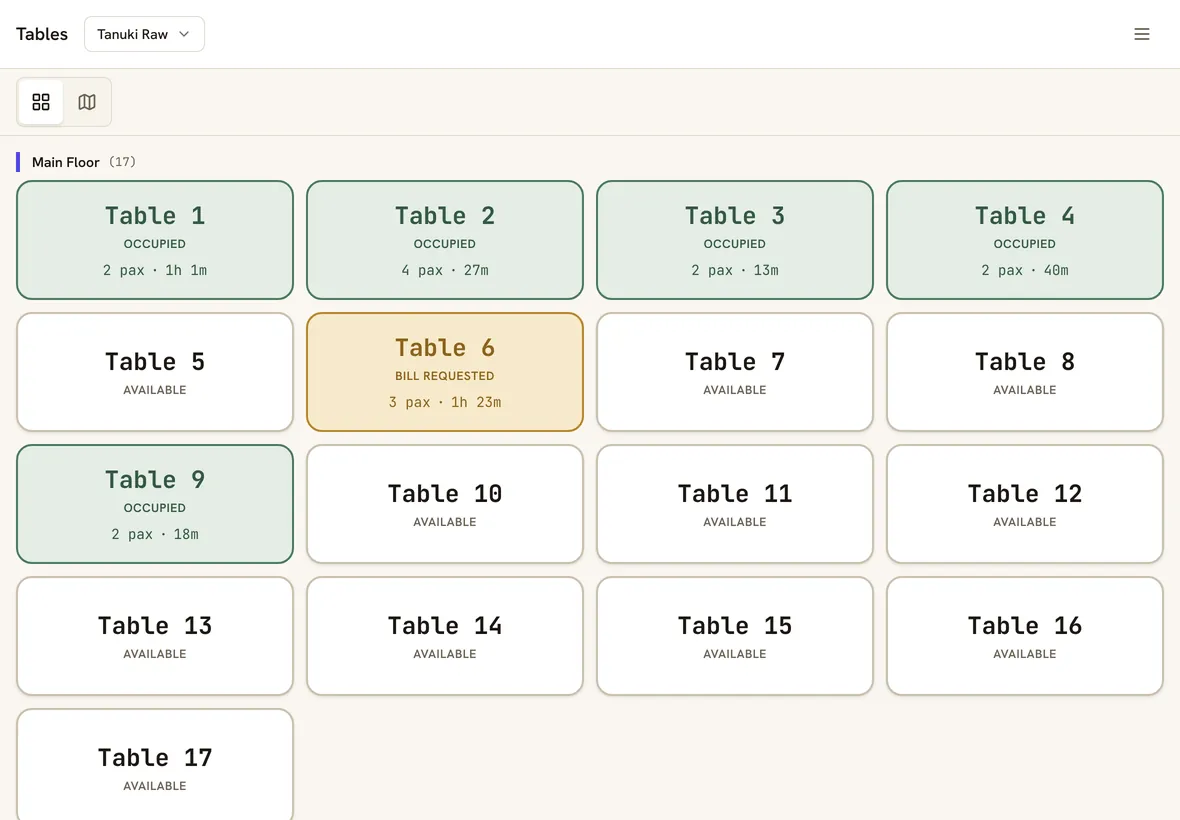
Staff see who wants to payA table that asked for the bill turns amber on the POS, and frees up when the payment lands. 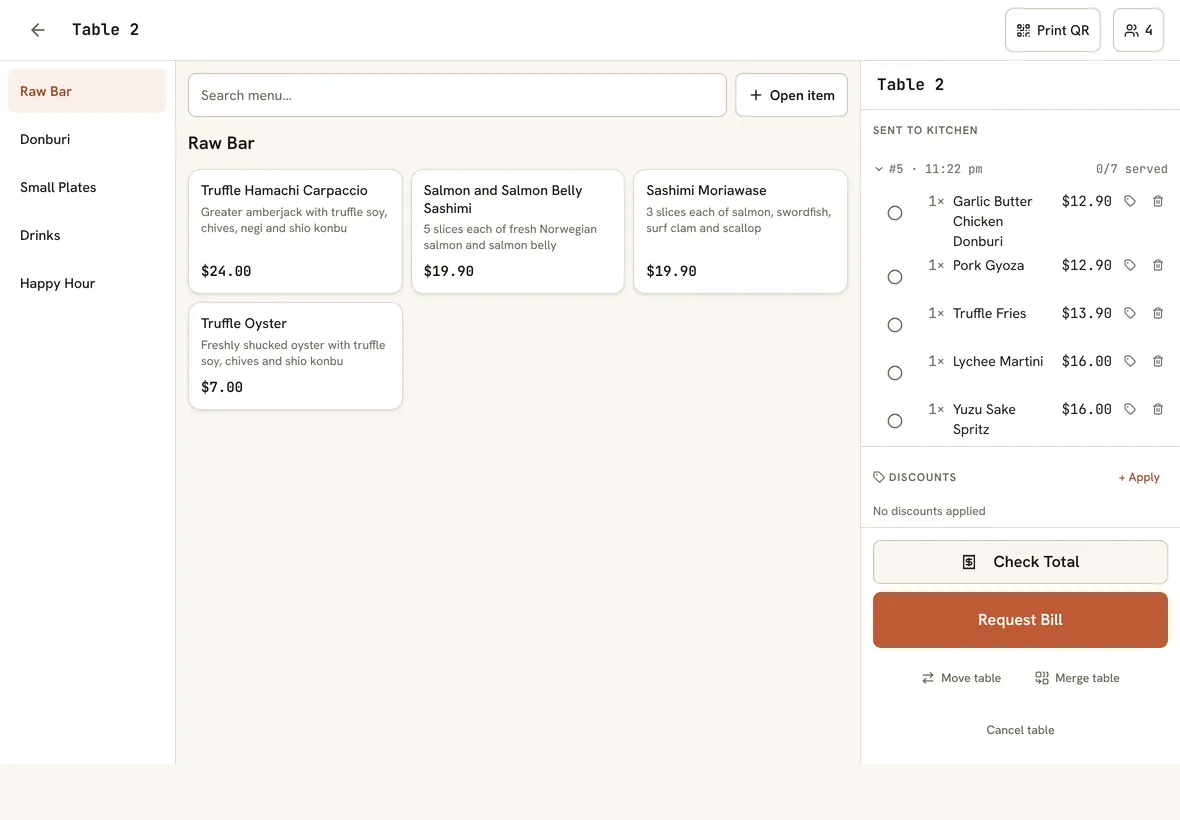
Everything on one screenStaff can still add dishes, apply discounts and take payment for guests who prefer to pay in person.
Built so the money always adds up
The ways guests already pay
PayNow, Visa, Mastercard, Amex, Apple Pay, Google Pay, GrabPay, WeChat Pay and more, depending on what you turn on in HitPay. Tourists can pay the way they do at home.
Your own HitPay account
Guests pay into your HitPay account at HitPay’s rates. We never hold your money and never take a cut.
Or Qlub pay-at-table
Already with Qlub? Guests are handed to Qlub’s checkout when they ask for the bill, and the payment comes back to the bill on its own.
Pay per round
For bars and casual spots: guests pay for each round before the kitchen starts it, so a tab can never walk out.
Same bill, same day close
Phone payments sit beside cash and card on the same bill, the same X/Z report and the same accounting push.
Safe if two people pay
If a guest and the cashier settle at the same moment, the bill still closes once, and the extra payment is flagged for a refund.
Tested on real bills first
We tested every payment path on real bills in our own restaurants: discounts, set meals, service charge waived, part-payments. The rule we kept is simple: the guest’s phone never decides the amount. Our system, the computer behind the POS rather than the person serving the table, works out the balance, and the payment provider charges exactly that.
Good to know
- You need your own HitPay or Qlub account. Their fees apply and are paid to them; we don’t add anything.
- With Qlub, a bill that’s already part-paid is settled at the counter.
- Refunds aren’t built into the POS yet. Refund through HitPay or Qlub directly.
- Card terminals aren’t integrated. Cards at the counter go through your own terminal and are recorded on the bill.
Straight answers.
Which payment methods can guests use?
With HitPay, guests see the methods you switch on in your HitPay account. In Singapore HitPay offers PayNow, Visa, Mastercard, American Express, UnionPay, Apple Pay, Google Pay, GrabPay, ShopeePay, Atome, ShopBack and WeChat Pay. Each has its own HitPay fee, and you choose which to offer. With Qlub, guests pay by PayNow, Visa, Mastercard, American Express, UnionPay, Apple Pay or Google Pay.
How much does it cost?
The POS is S$60 per outlet per month. Payment fees are charged by HitPay or Qlub under your own agreement with them. We take nothing from the payment.
When does the money reach me?
On HitPay’s or Qlub’s normal payout schedule, straight to your own account. It never passes through us.
Can guests split the bill on their phones?
Staff can split a bill by item or evenly on the POS. Paying by phone settles the remaining balance in one go.
Can guests still pay at the counter?
Always. Paying by phone is an extra option, and cash, card and PayNow at the counter all work as before.
Also on Nice Work POS
QR code ordering
Guests order rounds from their own phone, straight to the kitchen.
Counter service and takeaway
Order, pay first, collect by number. For cafes, kiosks and takeaway.
Low-cost POS
S$60 a month, every feature, and no cut of your sales.
Let the bill pay itself tonight.
30 days free, no card, set up in an afternoon. S$60 per outlet per month after, or S$50 a month billed yearly.