Let guests order from their phone. Keep your staff on the floor.
Every table gets its own QR code. Guests browse a menu that moves, with dish photos, video and specials, order as many rounds as they like, and each dish goes straight to the right kitchen station. No app to download, no extra hardware, and you can turn it off for any outlet.
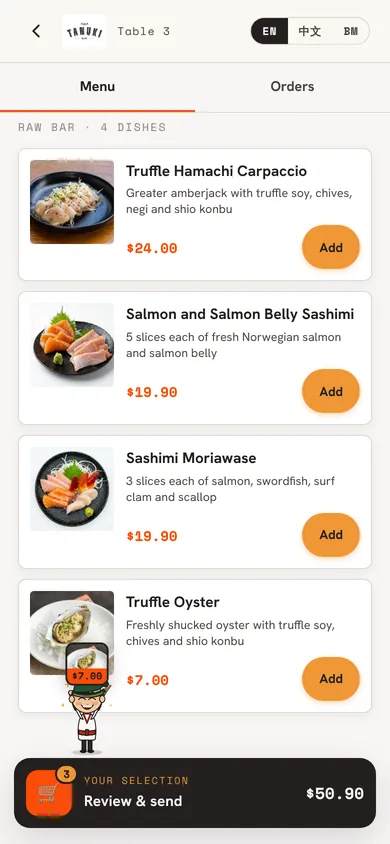
Most QR menus are a list of text. Yours plays like a food video.
Your guests are holding a phone that plays video smoothly, so the menu uses it. Each part of the day can open with its own welcome video, your specials sit at the top with moving pictures, and any dish can play a few seconds of itself when it’s opened. This is Tanuki Raw’s real menu.
Video for any dish
Upload a short phone video of a dish from the dashboard. It plays, muted and looping, when a guest opens that dish.
Specials that catch the eye
Pick the dishes you want to push. They lead the menu in a Specials row with your own badge, and featured ones move.
A welcome for each time of day
Lunch and dinner can each open with their own video and greeting, so the first screen matches the hour.
Calm when guests want it
If a guest has turned off motion on their phone, the welcome screen and specials show still photos instead.
Video and moving specials are on the table QR menu. The counter and Takeaway QR menus show photos.
How QR ordering works
- 01
Put a QR code on each table
Print the codes from your dashboard. Each one opens that table’s menu, and it never changes once printed.
- 02
Guests order in rounds
They pick dishes, choose options and send. Another round later goes onto the same table and the same bill.
- 03
The kitchen gets it at once
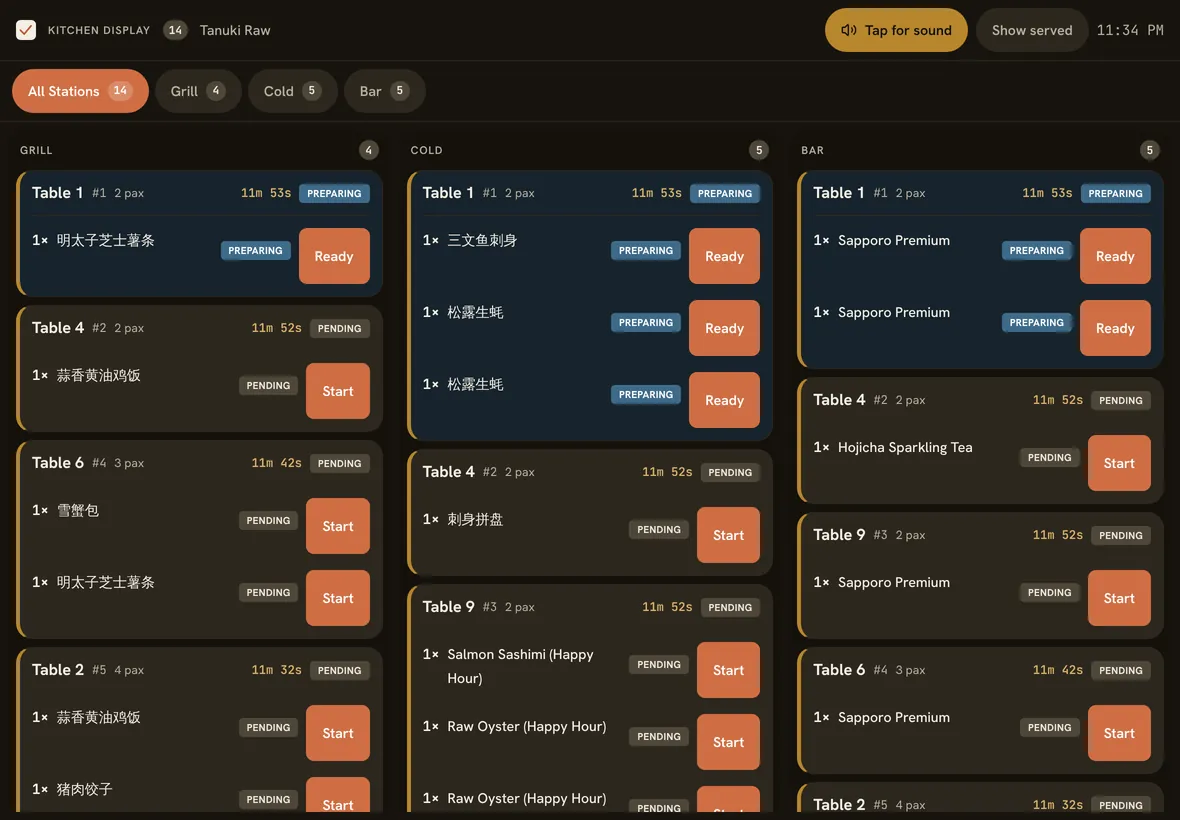
Each dish goes to its station screen or printer, and staff see the new order on the table straight away.
- 04
The total shows when they ask
Guests see what they’ve ordered, but not a running total. It appears once the bill is requested, ready to pay at the counter or by phone.
What your guests see, and what your kitchen sees
Real screens from the app, set up with our own restaurant’s menu and photos. Yours go in their place.
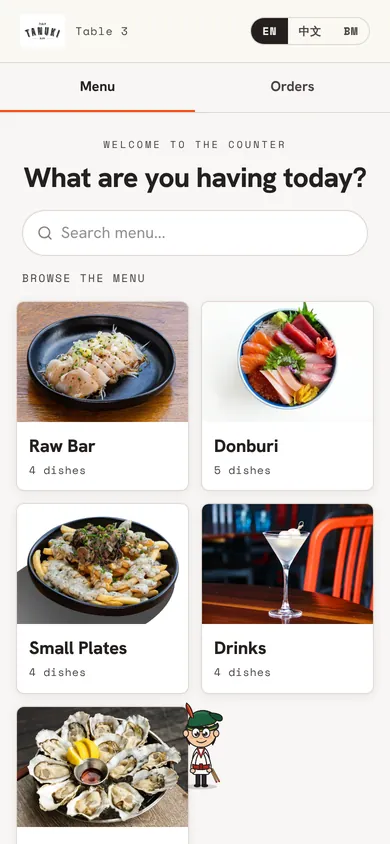
Your menu, in photosGuests scan the table’s QR code and land on your categories. No app to download. 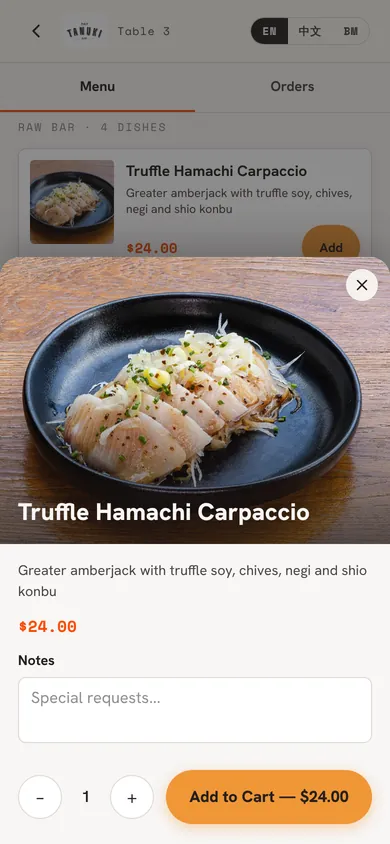
Every dish gets its own photoTap a dish for a big photo, the description and any choices, like add-ons or spice level. 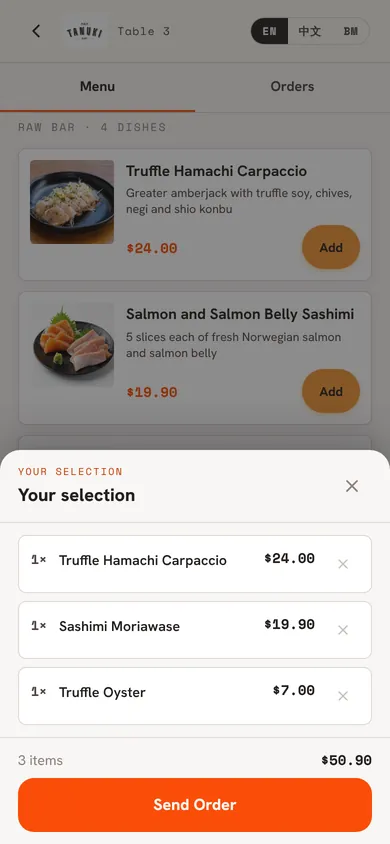
Check, then sendGuests review their order before it goes. It reaches the kitchen in seconds, tagged with the table. 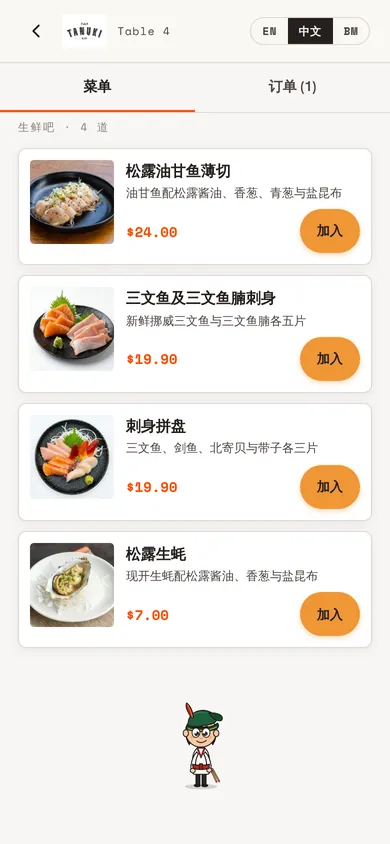
English, Chinese or MalayGuests switch language with one tap. Add Chinese dish names once and guests see them too.
Straight to the kitchenEach order lands on the right station’s screen, or prints as a chit, the moment it is sent. 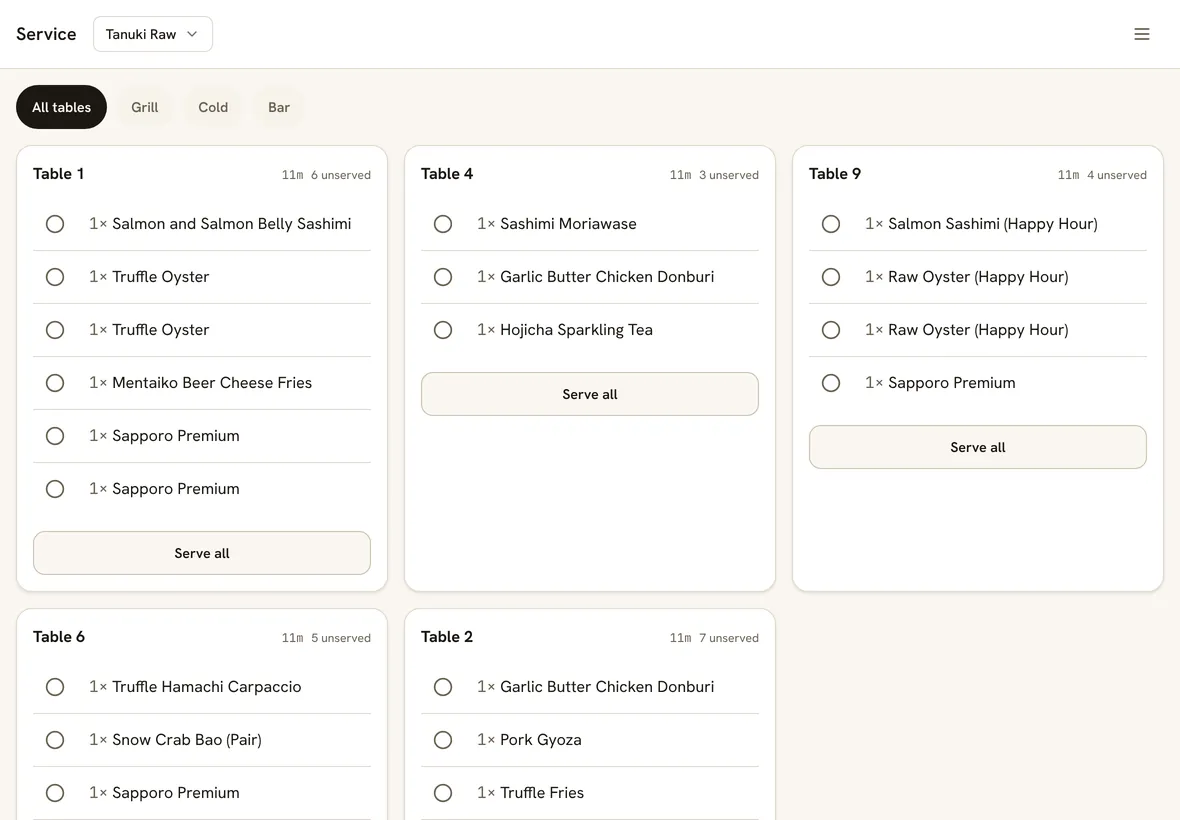
Your floor team stays in chargeThe service board lists every table’s dishes still to serve, so runners know what goes out next.
Everything a QR menu should do
English, Chinese and Malay
Guests switch language on the menu. AI translation fills in Chinese and Malay dish names and descriptions in one go, and you can edit any line.
Photos, options and set meals
Show dish photos large, small or not at all. Options, add-ons and set meals work exactly as they do on the staff POS.
Ordering hours
Stop QR orders outside your opening hours, so nobody orders after last call. Staff can still ring things up.
One ticket, not five
Turn on batching and quick one-dish orders from the same table reach the kitchen as one ticket and one chit.
Happy hour on the menu
Scheduled promotions show slashed prices on the guest’s phone while they run, and switch off on their own.
Staff hear about it
The iPad app pings staff when a guest orders or asks for the bill, so nobody has to keep checking a screen.
Running in our own restaurants
Tanuki Raw takes QR orders in service, and guests there can open a free table themselves by scanning its code. Every QR setting on this page runs in our own dining rooms before it reaches yours.
QR ordering is optional. Plenty of our own services run staff-only, and the same POS handles both.
Good to know
- QR ordering needs the internet. If your connection drops, guests can’t order by QR until it’s back, while staff keep going on your main POS device.
- Guests asking for the bill from their phone is off by default. Turn it on per outlet if you want it.
- Guests opening a free table by scanning is also off by default. Until you turn it on, staff open each table from the POS.
- We generate the QR codes; printing or engraving them is up to you.
Straight answers.
Do guests need to download an app?
No. The QR code opens a web page in the phone’s camera or browser. There’s nothing to install and no account to create.
Can staff still take orders at the same table?
Yes. Staff orders and guest orders land on the same table and the same bill, and the kitchen can’t tell the difference.
What does QR ordering cost?
It’s included in S$60 per outlet per month, with no per-order fee. If guests also pay by phone, your payment provider’s fees apply.
Can I use it at one outlet and not another?
Yes. QR ordering, guest bill requests and phone payments are all switched on or off per outlet.
What if a dish sells out mid-service?
Mark it sold out once on any device and it disappears from every guest’s phone at once. You can do the same for a single option, like extra rice.
Can guests pay from their phone too?
Yes, with your own HitPay account or through Qlub. See order and pay at the table for how it works.
Also on Nice Work POS
Order and pay at the table
Guests pay by PayNow or card on their phone, and the table clears itself.
Full-service restaurants
Floor plan, stations, courses and bills for table service.
Counter service and takeaway
Order, pay first, collect by number. For cafes, kiosks and takeaway.
Put a QR code on table one tonight.
30 days free, no card, set up in an afternoon. S$60 per outlet per month after, or S$50 a month billed yearly.